How to connect a 7 inch HDMI touch display to a Raspberry Pi
Two cables, no drivers and no config.txt changes. This guide covers the cable for each Raspberry Pi model, powering the display, touch, and rotating the screen to portrait.
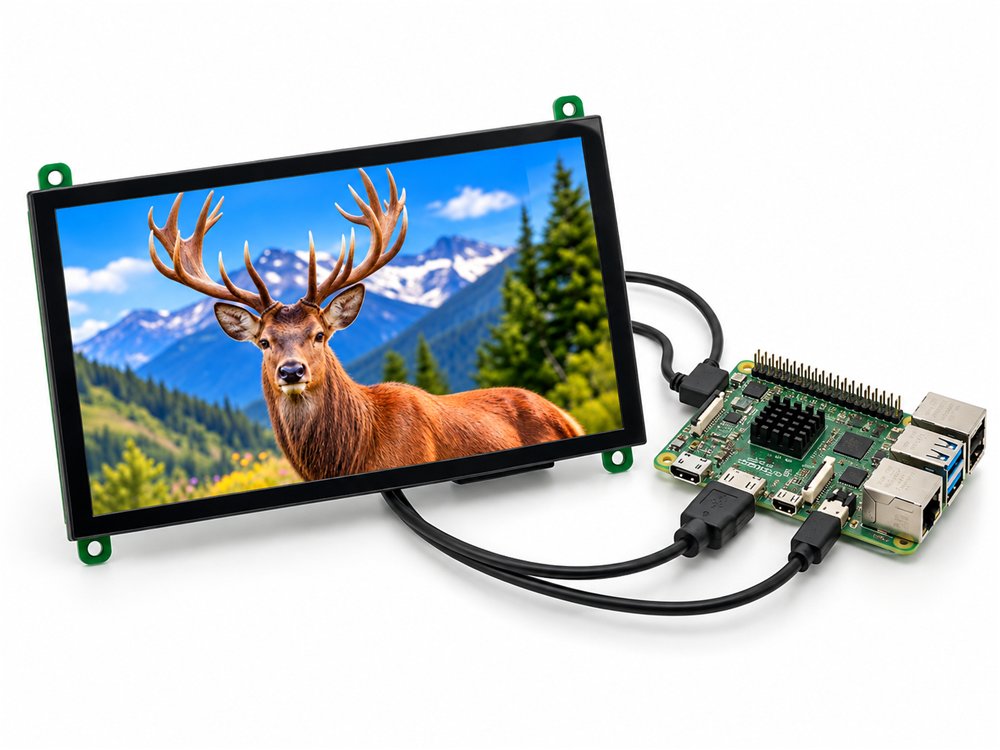
The 7 inch display wired to a Raspberry Pi with one HDMI and one USB cable
What you need
- A BIBA HDMI touch display: the 7 inch, part B-0525-QHB-0700-YX or the 10.1 inch, part B-0526-QHB-1010-YX. Both are 1024 x 600 pixels.
- A Raspberry Pi with an HDMI output, running Raspberry Pi OS.
- The HDMI cable that fits your Pi model (table below).
- A USB cable from the display to a USB port on the Pi, for 5 V power and touch.
Setup in four steps
The same steps apply to a Raspberry Pi 5, 4, 3, Zero 2 W or Compute Module 4.
Connect the HDMI cable
Plug the HDMI cable from the Raspberry Pi into the display. Use micro HDMI to HDMI on a Pi 4 or Pi 5, full-size HDMI on a Pi 3, and mini HDMI on a Zero 2 W. The display reports its native 1024 x 600 mode over EDID.
Connect the USB cable
Plug the USB cable from the display into any USB port on the Pi. This one cable carries 5 V power and the capacitive touch data, and the touch controller shows up as a standard USB HID device.
Boot Raspberry Pi OS
Power on the Pi. Raspberry Pi OS detects the 1024 x 600 resolution and the touch screen automatically. No config.txt changes and no driver install are needed.
Rotate the screen if you mount it in portrait
On Raspberry Pi OS Bookworm open Preferences, Screen Configuration, select the HDMI output and set the orientation. Touch follows the rotation automatically under Wayland.
Which cable for which Raspberry Pi
Only the HDMI cable changes between models. Touch and power always use the USB cable.
| Raspberry Pi | HDMI cable | USB for touch and power |
|---|---|---|
| Raspberry Pi 5 | Micro HDMI to HDMI | Any USB-A port |
| Raspberry Pi 4 | Micro HDMI to HDMI | Any USB-A port |
| Raspberry Pi 3 | Full-size HDMI | Any USB-A port |
| Raspberry Pi Zero 2 W | Mini HDMI to HDMI | Any USB port |
| Compute Module 4 carrier boards | Full-size HDMI on most carriers | Any USB port |
Powering the display
The display is powered at 5 V through its USB connector. A Raspberry Pi USB port is enough for the 7 inch model. For the 10.1 inch model we recommend a dedicated 5 V, 2 A supply so the backlight does not share the Pi's USB budget.
Touch without drivers
The capacitive touch controller is a standard USB HID device. Raspberry Pi OS recognises it without installing anything, and the same is true of Ubuntu, Debian, Windows 10 and 11, and Android.
Raspberry Pi HDMI touch display questions
Does the 7 inch HDMI display work with a Raspberry Pi 5?
Yes. Connect micro HDMI to HDMI for video and a USB cable to any USB port for touch and 5 V power. Raspberry Pi OS detects the 1024 x 600 panel over EDID and the touch controller as a USB HID device, with no config.txt changes.
Does it work with Raspberry Pi 4, Pi 3, Zero 2 W and Compute Module 4?
Yes. Any Raspberry Pi with an HDMI output works. The Pi 4 and Pi 5 use micro HDMI, the Pi 3 uses full size HDMI, the Zero 2 W uses mini HDMI, and CM4 carrier boards usually expose full size HDMI. Only the cable changes.
Do I need a driver for the touch screen?
No. Touch is a standard USB HID device, so it works on Raspberry Pi OS, Ubuntu, Debian, Windows 10 and 11, and Android without installing anything.
How is the display powered?
Through its USB connector at 5 V. A Raspberry Pi USB port is enough for the 7 inch model. For the 10.1 inch model we recommend a dedicated 5 V, 2 A supply so the backlight does not share the Pi's USB budget.
How do I rotate the screen to portrait?
On Raspberry Pi OS Bookworm open Preferences, Screen Configuration, select the HDMI output and set the orientation; touch follows the rotation automatically under Wayland. On Windows use Display settings, Display orientation. On Ubuntu use Settings, Displays.
Order online or talk to an engineer
Single units ship from stock in Gurugram. For 100 pieces and above, or a custom cover glass, cable or enclosure, send us your requirement and we reply within one working day.